

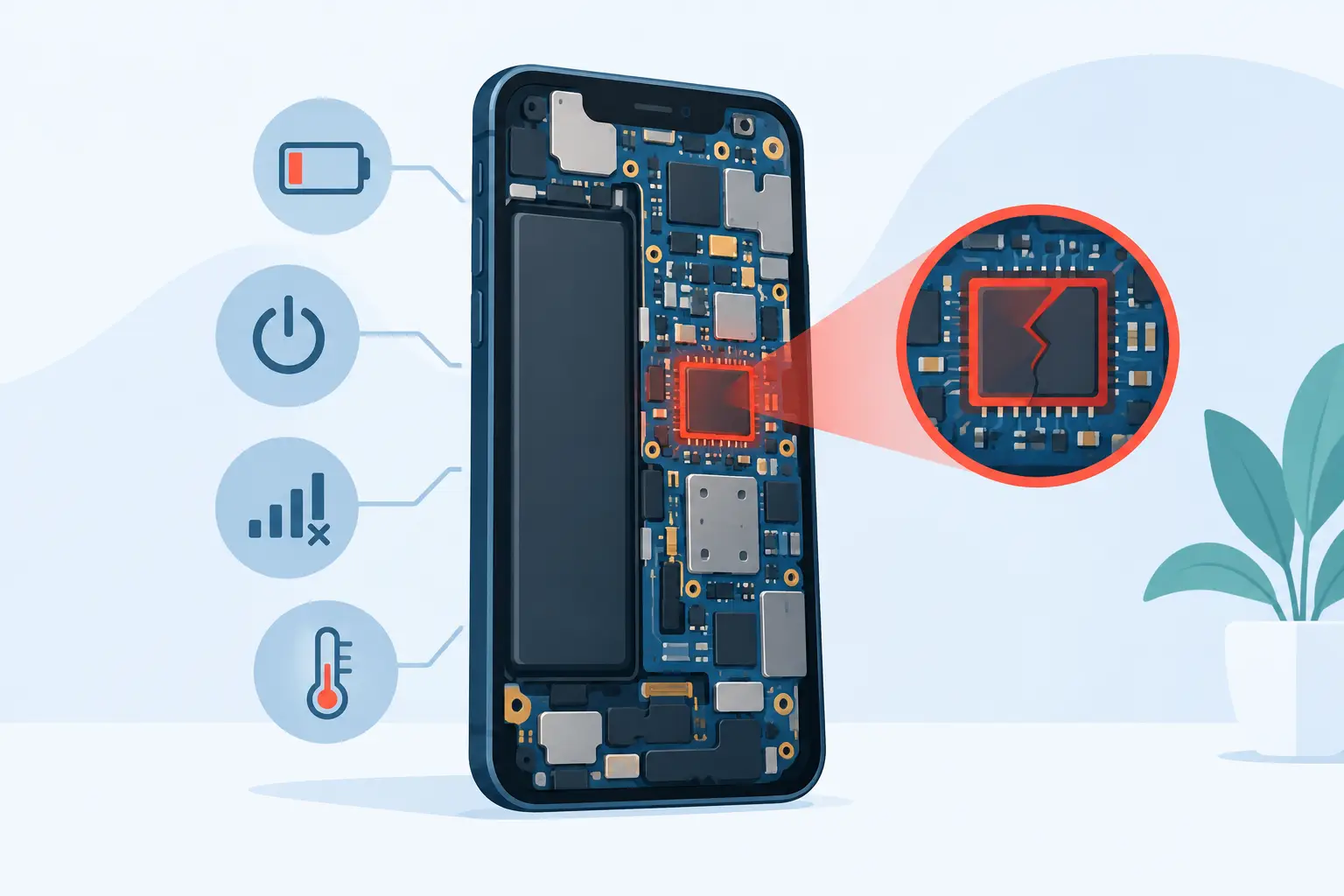
A phone that suddenly refuses to start, keeps restarting, or loses key functions can feel like a total disaster – especially when your photos, banking apps and work messages are inside it. The top signs of motherboard failure often look similar to battery, screen or software faults at first. The difference is that motherboard damage can affect several parts of the phone at once, so an accurate diagnosis matters before paying for the wrong repair.
In smartphones, the motherboard is also commonly called the logic board or mainboard. It is the central circuit board that connects the processor, memory, charging system, cameras, display, network components and more. When it develops a fault, your phone may become unreliable or stop working completely.
Contents
- 1 Top Signs of Motherboard Failure to Watch For
- 2 Your phone will not switch on at all
- 3 It keeps restarting or gets stuck on the logo
- 4 Several functions fail at the same time
- 5 The phone overheats during normal use
- 6 No network, Wi-Fi or Bluetooth despite basic checks
- 7 Charging behaves strangely
- 8 The screen stays black but the phone is still alive
- 9 Cameras, audio or sensors stop responding
- 10 What Usually Causes a Phone Motherboard to Fail?
- 11 What to Do Before Booking a Repair
- 12 Is Motherboard Repair Worth It?
Top Signs of Motherboard Failure to Watch For
Your phone will not switch on at all
A completely dead phone is one of the most worrying symptoms. You press and hold the power button, connect a known-working charger and still get no vibration, logo, sound or screen response. This can point to motherboard trouble, particularly if the phone was dropped, exposed to liquid, overheated or had an earlier repair.
However, a dead phone does not automatically mean the motherboard has failed. A flat or damaged battery, a faulty charging port, a broken power button or a failed display can produce the same result. A technician needs to test the power line and components rather than guess based on the symptom alone.
It keeps restarting or gets stuck on the logo
If your iPhone, Samsung, Xiaomi, Huawei, OPPO or other Android phone repeatedly restarts, freezes at the brand logo, or switches off without warning, the cause may be deeper than an app issue. A board-level fault can interrupt power delivery or prevent the phone from communicating properly with storage and other essential components.
Software corruption can also cause boot loops, so a restart, update or reset may help in some cases. But if the problem continues after a proper software check, or it began immediately after a drop or water exposure, motherboard diagnosis becomes more likely.
Several functions fail at the same time
One broken feature can be a replaceable part. For example, a single faulty camera, speaker or charging port may be repaired without touching the motherboard. When multiple unrelated functions stop working together, the mainboard deserves closer attention.
You might find that mobile signal disappears, Wi-Fi and Bluetooth cannot be enabled, the camera shows a black screen, and the phone also fails to charge properly. These combined faults can happen when a connector, power-management circuit or communication chip on the board is damaged. They are especially common after impact or moisture reaches the inside of the device.
The phone overheats during normal use
Phones can get warm while gaming, navigating, video calling or fast charging. That is normal to a point. A phone that becomes unusually hot while idle, on a basic call, or soon after switching on may have a short circuit or failing component on the motherboard.
Do not keep charging or using a severely overheating phone in the hope that it will settle down. Remove it from direct sunlight, disconnect the charger and arrange an inspection. Excess heat can worsen internal damage and may affect the battery as well.
No network, Wi-Fi or Bluetooth despite basic checks
If you have already tested another SIM card, checked that your account is active and reset network settings, yet the phone still shows no service, the issue may be hardware-related. A damaged antenna line, SIM reader or network chip can cause weak signal, constant searching or an unavailable mobile network message.
The same applies when Wi-Fi or Bluetooth stays greyed out, cannot be switched on, or drops out at very close range. These symptoms are not always a motherboard failure, but they should not be dismissed as a simple software glitch when they occur alongside other faults.
Charging behaves strangely
Intermittent charging is often caused by lint in the port, a worn cable or a damaged charging connector. But a phone that only charges at a particular angle, charges extremely slowly with several tested cables, shows a charging symbol without gaining battery percentage, or shuts down when connected may have a board-level charging fault.
This is why replacing the charging port without diagnosis can be a costly mistake. The port may be healthy while the charging circuit on the motherboard is the real problem. A good repair assessment identifies the fault first and explains the practical repair options clearly.
The screen stays black but the phone is still alive
You may hear notifications, feel vibrations or receive calls while the display remains black. In many cases, this is a screen fault and the device can be restored with a display replacement. Yet if a tested screen does not show an image, or the phone has suffered a heavy impact, the display circuit on the motherboard may be affected.
This distinction matters because a screen replacement alone will not resolve a damaged display line or board connector. Ask for testing before approving a repair, especially if the device shows other unusual behaviour.
Cameras, audio or sensors stop responding
A rear camera that will not focus, a microphone that cuts out, Face ID or fingerprint recognition that stops working, and sensors that behave unpredictably can all be linked to board damage. Some of these functions are paired to specific components for security reasons, particularly on newer phones, so repair options can vary by model.
A previous drop, water exposure or low-quality repair can damage tiny connectors and circuits. This does not mean every failed camera or microphone needs motherboard work. It simply means the technician should check the whole fault path rather than replacing parts at random.
What Usually Causes a Phone Motherboard to Fail?
Liquid exposure is a leading cause. Even when a phone seems fine after being splashed, moisture can begin corroding components days or weeks later. Steam, rain, a wet bag and condensation can be enough to create trouble, particularly if the phone is charged while damp.
Physical impact is another common cause. A phone may have only a small crack on the outside, but the force of a fall can loosen connectors or damage microscopic solder joints on the board. Repeated overheating, poor-quality chargers, unstable power sources and unsuccessful repairs can also contribute to motherboard faults.
Age plays a part too. Over time, heat cycles and everyday wear can weaken components. Still, a motherboard diagnosis should never be based on age alone. Many older devices only need a new battery, port or screen and remain worth repairing.
What to Do Before Booking a Repair
If your phone still switches on, back up your data immediately using the method available to you. Avoid repeatedly force-restarting it, installing random repair apps or continuing to charge it when it becomes hot. If there has been water exposure, switch it off where possible and do not use rice. Rice does not remove corrosion from internal circuits and can delay proper treatment.
Make a note of what happened before the problem started: a drop, rain exposure, an update, a repair or sudden overheating. Tell the technician which features still work and whether the fault is constant or intermittent. These details can speed up diagnosis and help protect important data.
Is Motherboard Repair Worth It?
It depends on the model, the extent of damage and how valuable your data is. Board-level repair can be worthwhile for a recent flagship phone, a device with irreplaceable photos or business files, or a fault limited to a repairable circuit. For an older entry-level phone with severe corrosion, replacement may be the more sensible financial choice.
The key is a transparent assessment before work begins. At Baiki Phone, a proper diagnosis is used to separate motherboard faults from common battery, display, charging and software problems, so you can make a decision based on the actual repair needed. Ask about the expected turnaround, warranty coverage and the full MYR price before approving any repair.
A phone with possible motherboard damage does not always need replacing. Stop using it if it is overheating or has been exposed to water, protect your data if you still can, and get a professional diagnosis early. Acting promptly gives you the best chance of restoring the phone and keeping the information that matters.
Leave a Reply