

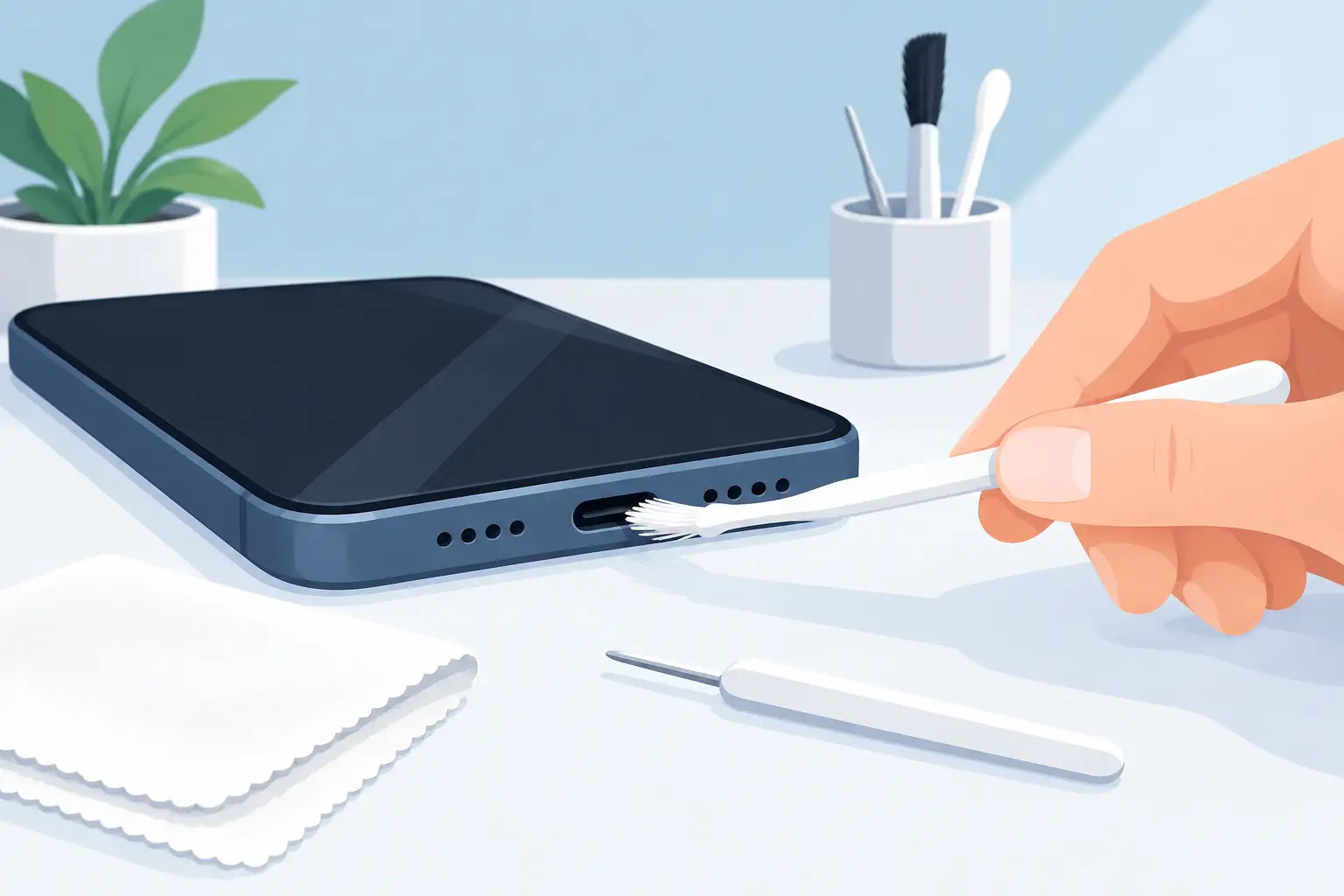
A charging cable that only works at one angle is usually not a cable problem at all. Pocket lint, dust and small fibres can pack tightly into your phone’s charging port, stopping the connector from sitting fully in place. Knowing how to clean charging port safely can save you from a frustrating day without power – but using the wrong tool can bend the tiny internal pins and turn a simple blockage into a repair job.
Before you put anything near the port, take a moment to rule out other causes. Try a known-working cable and wall plug first. If another cable charges normally, replace the faulty accessory rather than cleaning the phone. If every cable feels loose, keeps disconnecting or will not enter fully, debris is a likely cause.
Contents
- 1 Check whether the port really needs cleaning
- 2 What you need to clean a charging port safely
- 3 How to clean your charging port safely, step by step
- 4 Do not clean a wet or corroded charging port
- 5 Why charging ports still fail after cleaning
- 6 When to get a charging port checked
- 7 Keep the port cleaner for longer
Check whether the port really needs cleaning
Shine a torch gently towards the opening and look for compacted grey, black or fabric-like material at the bottom. Do not force a cable in to check. On USB-C and Lightning ports, even a thin layer of lint can prevent the plug from making solid contact.
A dirty port often causes slow charging, intermittent charging, a loose-feeling cable or a warning that an accessory is not supported. Wireless charging may still work because it does not use the port, but that does not confirm that the battery is healthy.
There are also signs that cleaning is not the answer. A port that feels hot, smells burnt, shows green or white corrosion, has visibly bent contacts, or stopped working after being dropped or exposed to water needs professional inspection. Continuing to charge it could damage the charging circuit or battery.
What you need to clean a charging port safely
The goal is to lift out loose debris, not scrape the inside of the port. Switch your phone off completely, remove the charging cable and take off the case if it blocks access. Work on a clean, dry table with good lighting.
Use only simple, low-risk tools:
- A bright torch or phone light to inspect the port
- A soft anti-static brush or clean, dry small brush
- A wooden or plastic non-metal pick with a fine tip
- A manual rubber air blower, used lightly from a short distance
Avoid metal pins, paper clips, needles, tweezers and SIM ejector tools. They can scratch or short delicate contacts. Cotton buds are also a poor choice because fibres can detach and add to the blockage. Do not pour water, cleaning fluid, hand sanitiser or alcohol into the opening. Even isopropyl alcohol, often suggested online, can create problems when used in the wrong amount or on a port with existing corrosion.
How to clean your charging port safely, step by step
Start by holding the phone with the charging port facing down. This lets loose particles fall out rather than travel deeper inside. Use the torch to identify where lint has gathered, normally along the bottom edge of the port.
With a soft brush, make a few light strokes around the entrance. Do not press hard or brush repeatedly against the centre contacts. Follow with one or two gentle puffs from a manual blower. Keep the air controlled. High-pressure canned air can force debris deeper inside and some aerosol cans can release moisture or propellant if tilted.
If packed lint remains, use a clean wooden or plastic pick. Insert it only a small distance and keep it against the port wall, away from the central contact area. Use tiny upward or sideways movements to loosen the material. Never jab downwards. Remove the pick, tap the phone port-side down and inspect again with the torch.
Repeat patiently rather than applying more pressure. It can take several careful passes to remove compressed lint, especially on a phone carried in jeans or a handbag every day. When the port looks clear, leave the device switched off for a few minutes, then reconnect a good-quality cable. The plug should enter firmly and sit securely without needing to be held in position.
Do not clean a wet or corroded charging port
If your phone has been splashed, dropped in water or exposed to heavy humidity, do not insert a pick, cable or brush into the port. Power it off and keep the port facing down. Wipe the outside dry with a lint-free cloth and allow the device to air-dry in a well-ventilated space.
Do not use a hairdryer, microwave, rice or direct sunlight. Heat can affect seals, the battery and internal adhesives, while rice does not remove moisture from inside the phone. Many modern phones also display a liquid detection alert when moisture is present in the charging port. Take that warning seriously and wait until the alert disappears before charging.
Corrosion is different from ordinary dust. Green, blue, white or rusty-looking residue can indicate liquid damage and may continue spreading after the outside looks dry. A technician should inspect the port and charging board before you connect power again.
Why charging ports still fail after cleaning
A clean port does not always mean a working port. Charging issues can come from a worn cable, damaged adaptor, weak battery, software fault or a failed charging flex. This is particularly common when a phone has been pulled off a table while plugged in, repeatedly charged with a loose cable, or used with low-quality accessories.
USB-C ports are designed for regular use, but their internal contacts are still small and precise. Lightning connectors can also develop wear or corrosion over time. If the cable now fits tightly but charging remains slow or unreliable, do not keep forcing it. Repeated pressure can worsen a loose internal port and make a straightforward repair more expensive.
It also depends on the device. Some iPhones and Android phones support optimised charging features that pause or slow charging to protect battery health. Others may charge slowly because the adaptor does not provide enough power. Check with a compatible cable and wall plug before assuming the port has failed.
When to get a charging port checked
Book a diagnosis if your phone will not charge after careful cleaning, only charges at a certain angle, gets unusually warm, or keeps showing moisture or accessory warnings. You should also seek help if the charging cable no longer clicks into place, the port feels physically loose, or you can see damaged pins.
A repair technician can inspect the port under magnification, remove compacted debris safely and test the cable, battery and charging circuit. This matters because replacing a charging port is not always the correct fix. An honest diagnosis should identify whether the fault is in the port itself or elsewhere in the device.
For phone owners across Malaysia, Baiki Phone can help arrange a clear assessment for common iPhone, Samsung, Huawei, Xiaomi, OPPO, Vivo, Realme and other Android charging faults. A free diagnosis is often the safest starting point when the problem is more than lint.
Keep the port cleaner for longer
The simplest habit is to keep your phone out of pockets or bags filled with loose tissue, dust and crumbs. Check the cable connector occasionally too, as dirt on the plug can transfer into the port. Use a good-fitting cable and avoid charging while the phone is hanging from the lead, especially in a car or beside the bed.
If your cable has begun to feel loose, do not wait until the phone stops charging completely. A few careful minutes of cleaning may restore a solid connection, while a prompt professional check can prevent a small charging issue from becoming an inconvenient loss of power when you need your phone most.
Leave a Reply